


Monster DIY: Mix Beats
4.5145.00 Reviews
App Specs
- Version
- 0.1.5
- Updated On
- License
- Free
- Downloads
- 5,000,000+
- Developer
- HIGAME GLOBAL
- Categories
- Music
- Platform
- Android
Screenshots
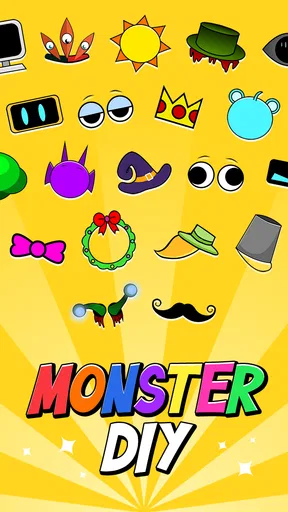
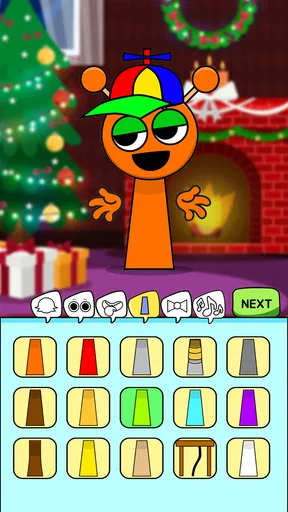
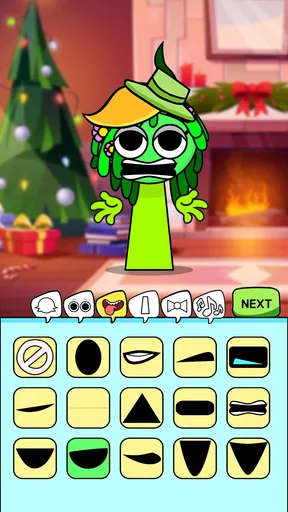
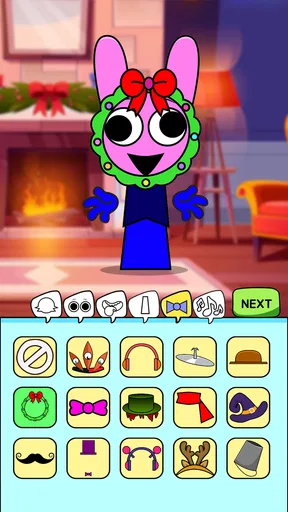
 Analysis by AppCompare
I approach Monster DIY: Mix Beats as a casual music game rather than a full production studio. The appeal is in shaping a playful monster and hearing it perform alongside a beat, not in learning a complicated recording setup. That makes the idea inviting, but it also sets the right expectations: this is best treated as a creative diversion, not a replacement for a dedicated music-making app.
Where a playful idea can meet a little friction
The first hurdle with any music game is understanding what your taps are supposed to do. If you open this expecting a traditional beat sequencer, the character-focused presentation may feel unusual at first. I’d take a moment to look at the screen before making choices, then change one thing at a time and listen for what it affects. That simple approach makes experimentation easier to follow than changing several elements at once.
It also helps to think in short sessions. A funny character and a beat can make the game appealing when you have a few spare minutes, but a playful interface is not automatically a deep composition tool. If you want precise control over song structure, recording, or detailed editing, a conventional music app is likely to suit you better. Here, the pleasure is more immediate: try a combination, see how it feels, and keep the results that make you smile.
Small setup checks before you start
Before downloading, I’d check that your device runs Android 7.1 or later and that you have enough room for another game. The game is free, and its content rating is Teen, so it may be worth checking that rating if you are choosing something for a younger player. It was released on December 19, 2024, and HIGAME GLOBAL is the developer.
If the game does not open smoothly, I would start with ordinary checks rather than assuming the music tools are at fault: close and reopen the app, make sure the device is not struggling with several demanding tasks, and check that the operating system is compatible. These are general troubleshooting steps, not special in-game settings. They are also sensible first moves if the screen feels slow or a touch does not seem to register.
Recovering your creative flow
When an experiment sounds less fun than expected, I find it useful to back up mentally: return to the last combination I liked, then make only one change. Even without treating a session like a formal composition, this gives you a clearer idea of what caused the difference. It can also prevent a quick play session from turning into random tapping that is hard to learn from.
For a casual everyday use, imagine waiting for a ride or taking a short break between tasks. You can spend that time trying a few character-and-beat combinations instead of needing a quiet room, instruments, or a long block of free time. If you are sharing a device or handing it to a younger player, staying nearby is a practical way to keep the experience appropriate and to help with unfamiliar controls.
Worth Reading Before You Choose

Switching to Android Auto Means Rethinking Your Driving Routine

Google Calendar Makes a Crowded Week Easier to Manage

Baby Panda World Brings Quick Play to Modern Phones, but Its Game Library Feels Busy

ESPN’s Live Game View Makes Following Close Games Easier

QuizzLand Review: A Good Fit for Short Trivia Breaks, Not Every Player

Basketball Stars: Multiplayer Is Fast, but Can It Recover When Matches Go Wrong?
A light music game, not a studio substitute
I see this section as a guide to setting expectations: the game is built for quick, playful experiments, so I’d judge it by whether its character-led approach makes sound play enjoyable rather than by studio standards. That distinction also helps explain why someone looking for structured rhythm challenges may want a different kind of music game.
What it does well—and what it doesn’t promise
The game sits in the music category, but its central draw is the amusing visual and musical pairing. It has an average rating of 4.6 from around 31,000 ratings, with over 5 million installs, which suggests that many players have given it a try. Those figures are useful context, but they do not tell you whether its particular style will fit your tastes. I’d choose it for playful experimentation, not because I expect studio-grade tools.
That distinction matters when comparing it with the usual alternatives. A serious beat-making app tends to prioritize detailed controls and a more deliberate workflow; a rhythm game generally asks you to follow a set pattern or hit timed notes. This game’s monster-centered presentation points toward a lighter, make-and-listen experience. If you want to practice timing against fixed challenges, look at rhythm games. If you want to build a polished track for a project, choose a dedicated music workstation instead.
Who I’d recommend it to
I’d suggest it to someone who enjoys odd characters, sound play, and low-pressure creative games, especially a player who wants to explore beats without first learning music-production vocabulary. It can also be a fun shared activity: take turns choosing ideas, listen to the result, and agree on which version feels most entertaining. The Teen rating is worth bearing in mind when deciding whether that makes sense for your household.
I would skip it if your main goal is to export finished songs, collaborate on a real production, or gain hands-on experience with professional mixing. Those are different needs, and a more focused music tool is a better match. Likewise, if you prefer games with clear objectives and a steady sequence of challenges, a free-form creative activity may not hold your attention for long.
What to keep in mind before installing
The current version is 0.1.5, so I would keep expectations measured and judge the experience by what is available when you play rather than assuming it has the breadth of a long-established music editor. If something feels confusing, first try a clean restart and a simpler sequence of choices; if the problem persists, check basic device compatibility and whether other apps are slowing things down. This kind of troubleshooting can help separate a temporary device hiccup from a control or design choice you simply do not enjoy.
One useful habit is to decide what you want from a session before you begin: a quick laugh, a new sound combination, or a small creative challenge. That keeps the game’s light approach working in its favor. It also gives you a fair test: if you want fast, playful experimentation, it may click; if you keep wishing for detailed editing tools, that is a sign to move on to a different kind of app.
My practical verdict
For me, the best reason to try Monster DIY: Mix Beats is the mix of silly character-driven fun and music-making that does not demand a serious commitment. It is free to try, and its Teen rating and device requirements give you a few useful checks before installing. I’d treat it as a light creative game for spare moments, not as a dependable path to producing or sharing finished music.
In the end, I’d recommend it to curious players who want an easygoing way to play with sounds and enjoy a monster’s performance. If your priority is precise composition, structured rhythm practice, or robust production features, there are better tools for that job. But when the goal is simply to experiment, listen, and have a bit of fun, this small music-game idea has a clear place on my phone.
Hey there! So, I recently got my hands on this quirky app called Monster DIY: Mix Beats, and let me tell you, it’s a blast! If you’re into creating music and love a touch of fun and creativity, this is totally up your alley. Let’s dive into it!
Getting Started with Monster DIY
First things first, downloading Monster DIY: Mix Beats was a breeze. Available on both Android and iOS, you can find it on your app store, download it, and get jamming in no time. Once installed, the interface welcomes you with vibrant colors and a playful design. It's like stepping into a musical wonderland!
Exploring the Features
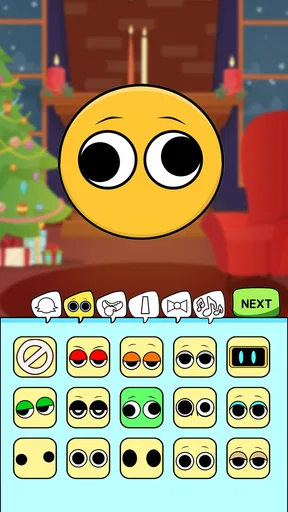
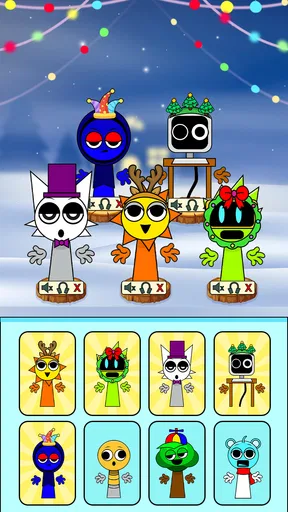
Now, on to the fun part—creating your own beats! The app is packed with a variety of features that make music creation both easy and entertaining. You start by selecting your monster character, each with its own unique sound palette. This adds a cute and personal touch to your music-making journey. I chose a funky little monster that specializes in synth sounds—super cool!
Next, you’re taken to the beat-making screen. The app offers a smooth drag-and-drop interface where you can mix different sound loops and effects. There’s a massive library of sounds, ranging from drums and bass to quirky synths and vocals. Trust me, you’ll never run out of options to experiment with.
Unleashing Your Creativity
One of the standout features of Monster DIY: Mix Beats is its simplicity. Whether you’re a seasoned DJ or just a music lover like me, the app makes it ridiculously easy to create something that sounds professional. The intuitive controls allow you to adjust tempo, pitch, and volume with just a few taps.
Another cool aspect is the collaborative feature. You can share your beats with friends and even work on a track together. It’s a great way to connect and swap creative ideas. I tried this with a friend, and we ended up creating a groovy track that had us jamming for hours!
Fun and Games
Aside from just making beats, the app includes some interactive games that help you learn more about mixing and sound design. These mini-games are a fun way to hone your skills while keeping the experience light-hearted and engaging. I found myself coming back to these games whenever I needed a break from creating beats.
Sharing Your Masterpieces
Once you’ve crafted your sound masterpiece, sharing it is a piece of cake. The app allows you to export your tracks in various formats and share them on social media or directly with friends. I loved how easy it was to get my music out there and receive feedback from my buddies.
Overall, Monster DIY: Mix Beats is a delightful app that brings out the inner musician in anyone. Its user-friendly interface, coupled with a vast array of sounds and features, makes it a must-try for music enthusiasts. Whether you’re looking to kill some time or seriously get into music production, this app is your gateway to endless fun and creativity.
So, why not grab your phone and give it a go? You might just discover a hidden talent for beat-making. Enjoy the beat-creating journey and let your inner monster roar!
Pros
- Intuitive interface for easy beat creation.
- Wide variety of sound effects available.
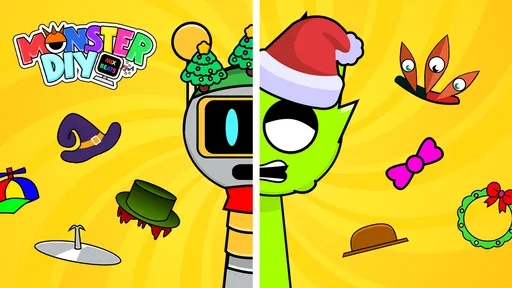
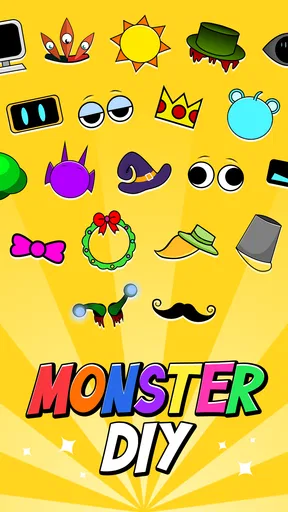
- Customizable monster avatars add fun.
- Smooth performance with no lag.
- Collaborative features for sharing beats.
Cons
- Limited advanced editing tools.
- In-app purchases can add up.
- Requires internet for full features.
- Ads can interrupt the creative flow.
- Occasional minor bugs during use.
FAQs for Monster DIY: Mix Beats
What is Monster DIY: Mix Beats and how does it work?
Monster DIY: Mix Beats is an innovative app that combines the fun of creating music with interactive gameplay. Users can craft unique beats using a variety of monster-themed sound effects and instruments. The app offers a user-friendly interface with drag-and-drop features, making it accessible for both beginners and experienced musicians alike.
Is Monster DIY: Mix Beats suitable for all age groups?
Yes, Monster DIY: Mix Beats is designed for users of all ages. The app features a simple interface with engaging graphics that appeal to younger audiences while providing enough depth and customization options to keep older users entertained. Parental controls can also be set to ensure a safe environment for children.
What are the system requirements for Monster DIY: Mix Beats?
Monster DIY: Mix Beats requires Android 5.0 or iOS 11.0 and above. It operates smoothly on most modern smartphones and tablets, but for the best experience, devices should have at least 2GB of RAM and sufficient storage space to accommodate additional sound packs and updates, which may enhance the app's performance.
Are there any in-app purchases or subscriptions in Monster DIY: Mix Beats?
The app is free to download and offers a selection of basic features at no cost. However, users can purchase additional sound packs and effects through in-app purchases. There is also an option for a subscription that provides exclusive content and early access to new features, enhancing the overall experience.
How can I share my creations from Monster DIY: Mix Beats?
Sharing your musical creations from Monster DIY: Mix Beats is easy and intuitive. The app allows users to export their tracks directly to social media platforms or save them in commonly used audio formats. This feature encourages creativity and allows users to showcase their unique beats with friends and the broader community.


